Project 01 · of 11
Enterprise local network
This SAÉ put me in the shoes of a networks & telecoms technician tasked with opening a branch office for the fictional company “Rudy and Theodor Company”. The branch replicates the same local network structure and must be able to host up to about sixty workstations, grouped according to their users' activity. My role: prepare, configure and test all the equipment (switches, router, PCs) and network services, then prove that everything works as required by the specification.
The network is split into four groups, each isolated in its own VLAN: Management and administration (VLAN 10), Standard users (VLAN 20), Servers (VLAN 30) and Network administrator (VLAN 40, the only one allowed to access the devices). The hardware is standardised on Cisco Catalyst 2960 switches and 2800-series routers. Addressing is based on the class B network 172.20.0.0/16, with each branch receiving a /24 that is then subnetted per VLAN according to the number of hosts.
I built a complete lab in EVE-NG: a router, a switch, one Virtual PC per VLAN (for ping and DHCP tests) and an Ubuntu Linux server. I did the cabling and the layer 2 configuration (assigning ports to VLANs, trunk link), then the logical configuration with static and dynamic addresses, the router interface taking the highest address of each subnet. DHCP was first hosted on the switch, then migrated to the Linux server (isc-dhcp-server), with ip helper-address commands to relay requests across inter-VLAN routing.
The project also let me look at 802.1Q-tagged frames in Wireshark (capture of an inter-VLAN ping on the switch-router link, then a port-mirroring capture to compare ICMP messages with and without tags). Finally, I made the infrastructure more reliable by adding a second switch configured through VTP v2: a “server” switch automatically propagates its VLAN table to the “client” switch over the trunk link, which avoids reconfiguring everything by hand.
Design, simulate and configure on EVE-NG the complete local network of a branch office (~60 workstations): physical and logical structure, one VLAN per department, DHCP, inter-VLAN routing and VTP synchronisation, then prove it works through testing.
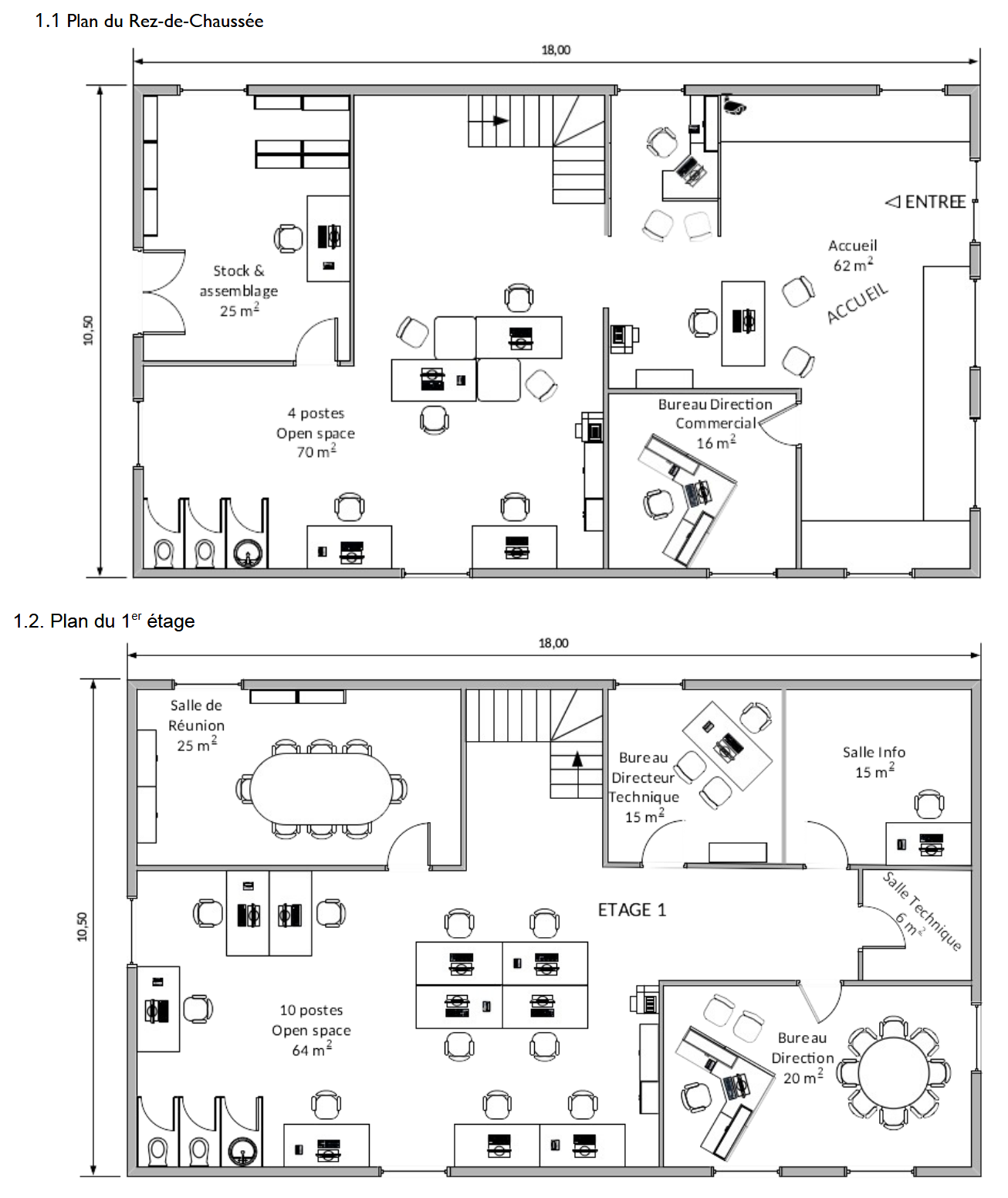
- Analysis of the specification and identification of the four VLANs from the two-floor plan.
- Choice of compliant hardware: Cisco Catalyst 2960 switch and 2800-series router (number of ports, throughput, wall mounting).
- IP addressing plan: class B network 172.20.0.0/16, a /24 per branch, then subnets sized to the number of hosts.
- Building the lab in EVE-NG: router, switch, one Virtual PC per VLAN and an Ubuntu Linux server in the Servers VLAN.
- Layer 2 configuration (ports per VLAN, trunk link), then logical configuration (static/dynamic addresses, gateways).
- DHCP set up on the switch and checked on the VPCs, then inter-VLAN routing configured and validated by pinging between VLANs.
- Capture and analysis of 802.1Q frames in Wireshark (switch-router link, then port mirroring).
- Migration of DHCP to the Linux server (isc-dhcp-server) with
ip helper-addresson the VLAN 10 and 20 sub-interfaces. - Deployment of a second switch and activation of VTP v2 (Server/Client) to synchronise VLANs automatically.
- Final tests: reconnecting the Administrator workstation to the “client” switch and checking pings.
- Subnetting: calculating masks (/29, /30…) according to the number of hosts in each VLAN from the branch's /24.
- Relaying DHCP across inter-VLAN routing: DHCP requests are broadcast and never reach the server's VLAN, hence the need for the
ip helper-addresscommand on each sub-interface. - Migrating DHCP from the switch to the Linux server while keeping the service running.
- Setting up VTP v2 (Server/Client roles) to avoid recreating the VLANs by hand on the second switch.
- Viewing and interpreting 802.1Q-tagged frames in Wireshark, including through port mirroring.
The VLANs were not synchronised automatically between the two switches. After troubleshooting, I set up VTP to propagate the VLAN configuration from a “server” switch, which made extending the network reliable.
Organising the network into dedicated VLANs for each department (Management, Users, Servers, Administration) to isolate traffic, then only opening the necessary flows through inter-VLAN routing.
Documented addressing plan and naming conventions, saved Cisco configurations, and compliance with the branch office specification.
- Exported EVE-NG lab (downloadable below).
- Project specification.
- Floor plans of the branch office (ground floor and 1st floor).
- Switch and router running-config files.
- Wireshark captures of 802.1Q-tagged frames.
Preview
Documents & files